Build, test, and deploy models faster.
Fit GLMs on millions of records in seconds, review every model change before it merges, and hand the routine work to your agent.
Overview
Build models in seconds, not hours.
The fitting engine is built for iteration. Refit on new data without waiting on compute.
- Agents that work on your models
- Connect an MCP client and it can branch a model, run a fit, and open a review for you to check.
- Datasets, models, and reviews in one app
- Prepare data, fit models, and review changes in the same place. Every change is versioned.
- No compute to manage
- Fits run on multi-million-record datasets with no cluster to set up or tune.
Why Prediction Lab
Actuaries
choose Prediction Lab
Built for insurance pricing work, from the first dataset to the reviewed model.
- Built for people who model all day
- Full control over every model setting, with teammates working on the same models in real time.
- Designed for insurance
- Exposure, offsets, and GLM error structures are built in, and every model change leaves a record a regulator can follow.
- Agents with limits you set
- Your MCP client reads your models and data, asks before it writes, and works on a branch you merge.
- Version control built in
- Branches, reviews, and an audit trail on every dataset and model.
Large datasets fit in seconds.
The fitting engine is built for datasets with millions of records, so a refit doesn't mean waiting on compute.
Features
Prediction Lab in action.
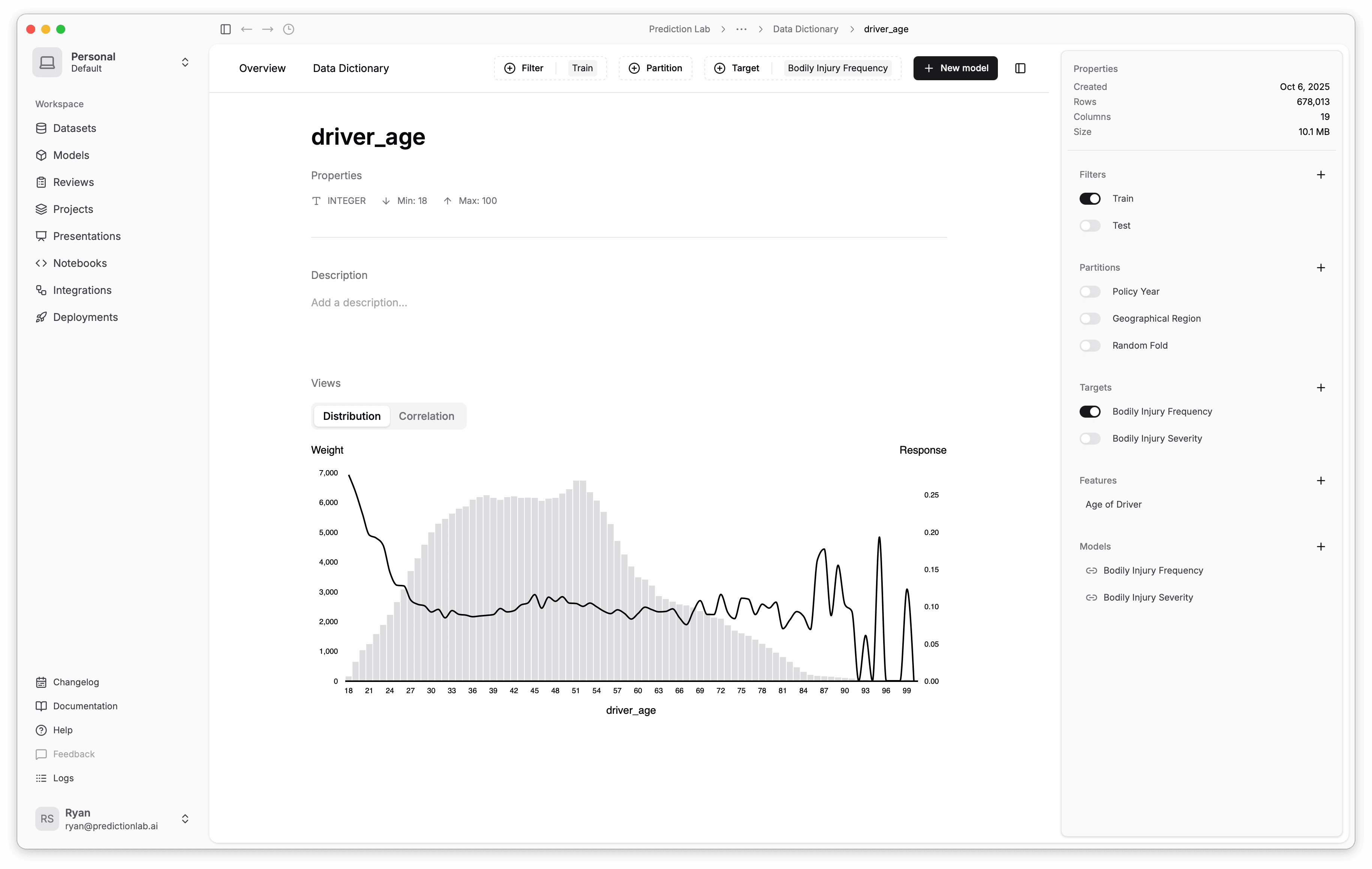
Filters
Train
Test
Partitions
Policy Year
Geographical Region
Random Folds
Features
Driver Age
Build by hand or automatically.
Build models step by step with full control, or let a gradient-boosting model derive a baseline feature set for you.
Who are the policyholders in the top risk quantile?
Quantile 5 is driven by drivers aged < 25 with at least 1 prior accident. Their claim frequency is 45% above the portfolio average.
Ask your model questions.
Ask what drives a quantile or what changed between fits, and let the agent run the follow-up experiments.
Connect your warehouse.
Read directly from your warehouse or cloud storage, and join public data such as US Census and NOAA to your datasets.
Data sources
Google BigQuery
Snowflake
Amazon S3
PostgreSQL
Microsoft Azure
Google Sheets
Data providers
US Census Bureau
NOAA
Spot the relationships in your data.
Brush a range in one column to see how it distributes across another.
Correlation analysis
vehicle_power
driver_age
Reports for stakeholders.
Build presentations from your models inside the app, and let stakeholders ask questions about what they see.
| Presentation | Shared |
|---|---|
| Pricing Model (2025) | JDSMAL |
| Underwriting Model (2025) | MKRL |
| Claims Model (2025) | TCNPDS |
| Retention Model | KW |
| Lifetime Value Model | BPEH |
Review every model change.
Open a review to compare two branches of a model or dataset. Changes, comments, and approval stay in one place instead of an email thread.
Auto Pricing Model Review
Enterprise
Built for enterprise insurance.
Data import, modeling, review, and deployment in one app.
- Security and compliance
- Isolated customer data, access management, and an audit trail on every change.
- Built for large datasets
- The engine is distributed, so fit times stay short as datasets grow.
- Integration
- Import CSV and Parquet files, and serve deployed models behind API endpoints.
- Direct support
- A named contact for implementation and ongoing training.
Pricing that scales with usage.
Pricing is set per customer and scales with usage. Email for a quote, or book a demo and ask on the call.
Book a 15-minute demo.
Share your role and current modeling software, and the demo starts from the way your team works today.